Your own spending
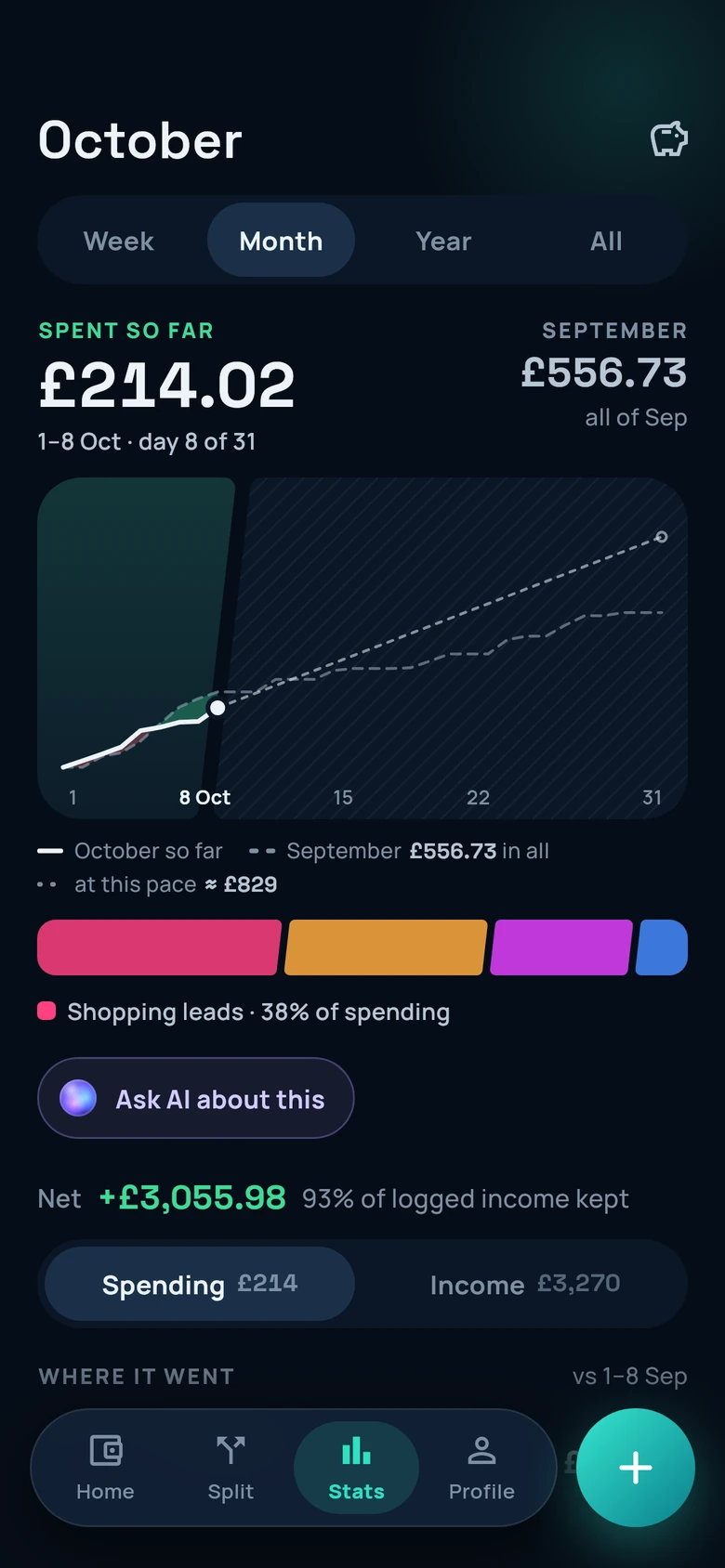
- Log what you spend and what comes in, in one line.
- Set a monthly budget for any spending category.
- See where your money went by week, month, year or all time.
- Show amounts in any of 16 currencies.

Duefree tracks what you spend and splits the bills you share with the people you live with, partners and friends, so every share adds up exactly. You pay each other however you already do, and Duefree keeps the record of who has settled up.
Coming soon to Google Play and the App Store
Email us and we’ll tell you when it launches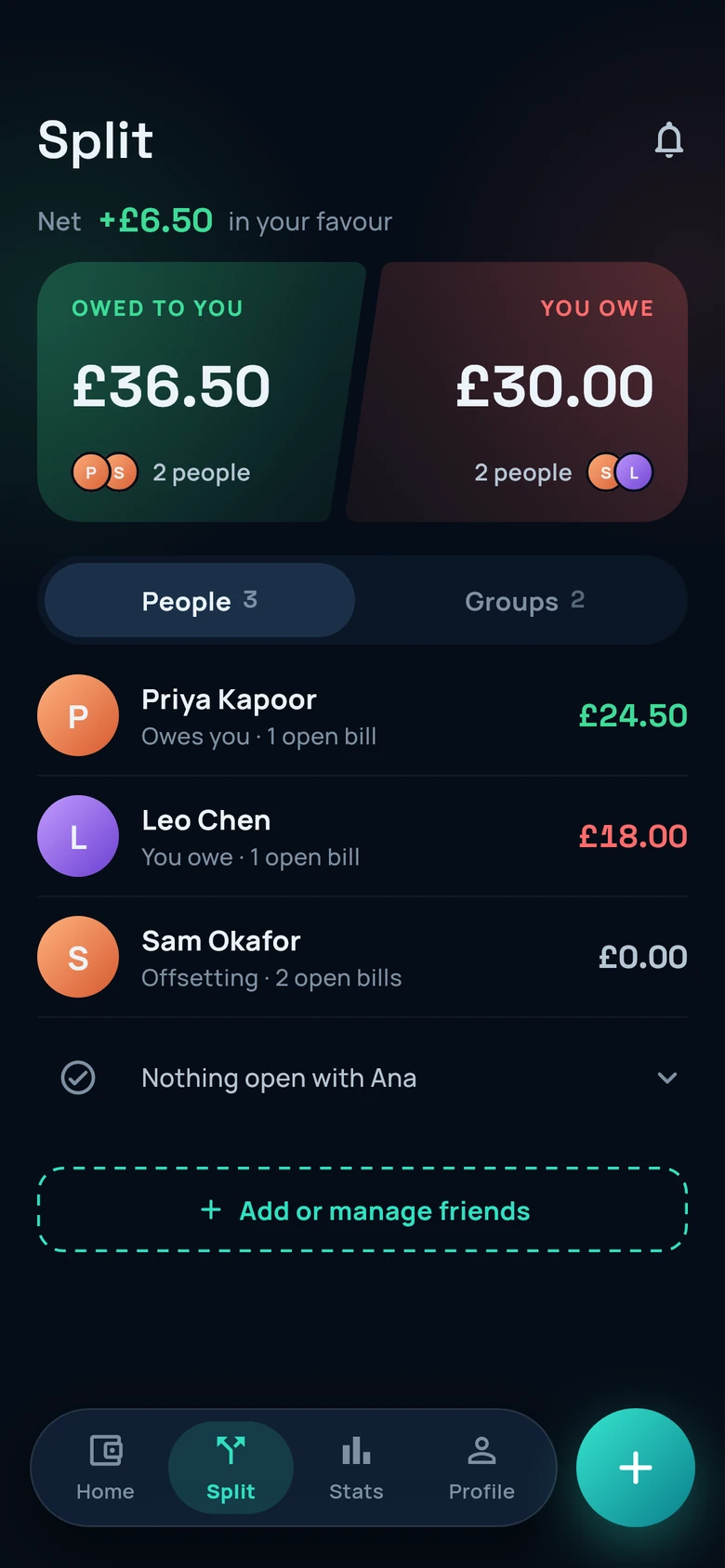
What it does
Duefree keeps your own spending and the bills you share in the same app, so there’s one place to look for both.
How it works
Three steps, whether it’s the rent, the groceries or a weekend away.
Add a bill you paid, choose who it’s for, then split it equally or by exact amounts. Amounts are kept in exact decimals, and Duefree’s server checks every bill so its shares add up to it exactly. Any rounding difference goes into the payer’s own share.
Each person on the bill gets a notification, and the bill joins your running balance with them. If a bill isn’t theirs, they tap “Not mine” and you’re told.
Pay each other by bank transfer, cash or whichever app you use. Then record that you’ve settled up, and Duefree tells the other person you’ve recorded it.
Who paid, who’s on each bill and who has settled up, with one balance for each friend and each group.
Duefree never pays, transfers or holds money. Settling up in Duefree means recording that you’ve settled up.
Plain and simple
Duefree keeps a record of the bills between you and your friends, and of your own spending. That’s all it does with money.
It asks for your camera or your photos only when you add a photo, and for notifications so it can tell you about bills.
Why it’s different
Amounts are kept in exact decimals, and Duefree’s server checks every bill so its shares add up to it exactly. Any rounding difference goes into the payer’s own share.
No ads and no tracking SDKs. Duefree AI and receipt scans run on your phone, and Duefree never connects to your bank.
If a bill isn’t yours, “Not mine” declines it and the person who paid is told. Reminders, gentle or direct, are limited to one a day per friend.
Duefree Plus
Everything above is free today: tracking, splitting, settling up, budgets, stats and notifications. Plus adds two things.
An assistant that runs on your phone. It briefs you on your month, answers questions from your own numbers, reads receipts from a photo, and logs or splits an entry once you’ve checked it. Your questions never go to an AI server.
The model is a one-time download of about 2.6 GB, so you’ll need that much free space, and it’s best downloaded on Wi-Fi. Reading receipts isn’t available on every phone.
Five more colours for the whole app.
Plus is billed monthly or yearly through Google Play or the App Store, with a free trial where the store offers one. The store shows the price and when it renews before you confirm, and you can cancel there at any time.
Privacy
Launch
The Android app is in closed testing, and the iPhone app isn’t out yet.
Want to know the day it launches?
Email us and we’ll tell you when it launchesWe’ll use your address only to tell you about the launch.